 admin
Introduction to HRMS Globex
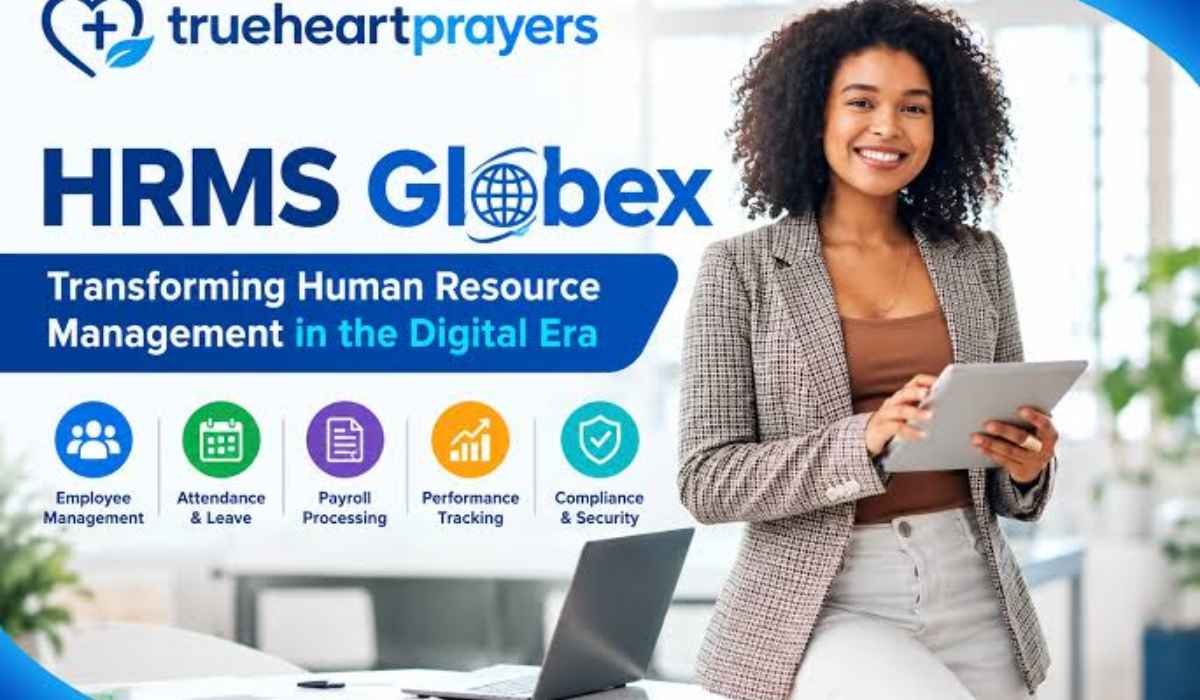
HRMS Globex is a name associated with human resource management and employee portal services. It is commonly searched by employees and businesses looking for information about digital HR operations, employee records, attendance, payroll, and workplace administration. Human Resource Management Systems have become important tools for organisations that want to simplify everyday administrative responsibilities. Instead of depending entirely on paperwork, spreadsheets, and manual communication, companies can use digital platforms to organise employee information and improve internal processes. Understanding this platform requires looking at its reported purpose, available information, potential functions, and the importance of secure employee access.
| Quick Information | Details |
|---|---|
| Name | HRMS Globex |
| Category | Human Resource Management |
| Industry | HR Technology |
| Main purpose | Employee and HR administration |
| Platform type | Web-based HR portal is reported |
| Potential users | Employees, managers, HR professionals |
| Commonly discussed functions | Attendance, payroll, leave management |
| Access | Employer-authorised access |
| Public pricing | Not independently verified |
| Public registration | Not confirmed |
| Official information | Limited and requires verification |
1. What Is HRMS Globex?
HRMS Globex is a name used online when discussing digital human resource management and employee administration. HRMS stands for Human Resource Management System, which refers to software designed to organise important workforce activities. These activities can include maintaining employee information, monitoring attendance, processing payroll, and managing workplace documentation. However, publicly available information about the specific platform remains limited. Readers should distinguish between general HR software capabilities and features officially confirmed for this particular service before making decisions about using it.
2. Understanding the Meaning of HRMS
A Human Resource Management System is a digital solution that helps organisations manage their employees throughout their employment journey. It can support recruitment, onboarding, attendance, payroll, performance evaluations, and employee communication. Traditionally, these responsibilities required multiple documents and separate administrative processes. Modern HR technology brings many of these activities together through centralised software. This approach can reduce repetitive work, improve record organisation, and make important information easier to retrieve when authorised employees or managers need it.
3. The Purpose Behind the Platform
The main purpose associated with this HR platform is to make workplace administration more organised and accessible. Businesses need reliable ways to maintain employee records, communicate policies, and handle routine administrative requests. A digital HR environment can support these responsibilities by providing a structured place for workforce information. Nevertheless, the precise purpose and configuration of any particular portal depend on its operating organisation. Employees should consult their HR department to understand which services are actually available through their workplace account.
4. How the Employee Portal Works
An employee HR portal generally works through individual accounts created or authorised by an organisation. Employees receive login information from their employer and use it to access permitted services. Depending on the system, the dashboard may provide personal information, employment documents, attendance details, and administrative requests. Different organisations can configure their systems differently, meaning two employees may not see identical options. Access permissions also help ensure that confidential information remains available only to people with appropriate authorisation.
5. HRMS Globex Login Process
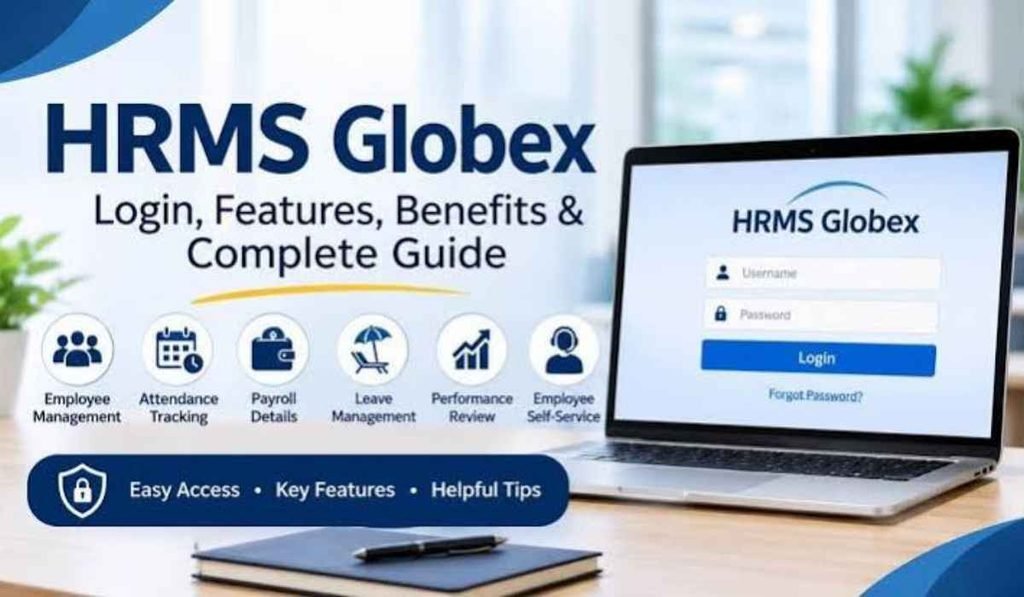
Employees searching for the login process should begin by contacting their organisation’s HR or IT department. The employer should provide the correct website address and account credentials. Before entering sensitive information, users should carefully check the website domain and confirm that it matches the address supplied through official workplace communication. Do not trust random login links from advertisements, unknown emails, or unrelated websites. A verified login address is especially important because employee portals can contain private employment and financial information.
6. Employee Self-Service Capabilities
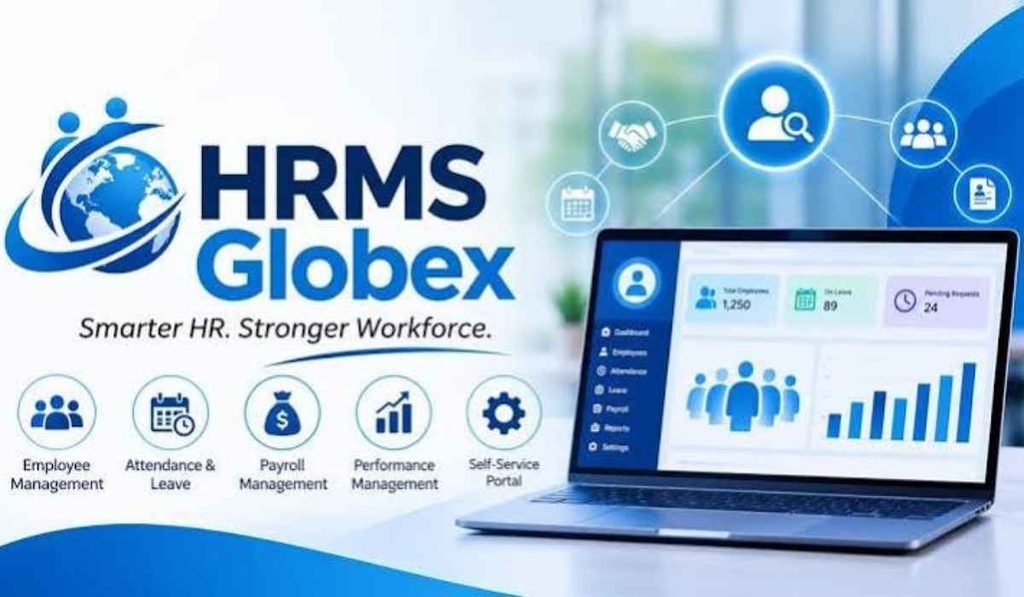
Employee self-service is an important feature of modern HR technology. It allows staff members to access selected employment information without contacting an administrator for every small request. Depending on the system, employees may be able to update personal details, review workplace documents, check leave balances, or submit administrative requests. Self-service can save time for employees and HR teams alike. However, the available options depend on the employer’s configuration and should not be assumed to exist in every version of a portal.
7. Attendance Management and Tracking
Attendance management helps organisations understand when employees begin and finish their working hours. Digital HR systems may provide attendance records, shift information, and timesheet management. Managers can use these records to identify missing entries and review attendance patterns. Employees may also benefit from being able to check their recorded working hours. Accurate attendance information is important for payroll calculations and workforce planning. Organisations should establish clear attendance policies and explain how employees can report mistakes or request corrections.
8. Payroll Management and Salary Information
Payroll is one of the most important responsibilities within human resource administration. Businesses must calculate employee salaries, account for approved deductions, and maintain accurate compensation records. An HR management system may help organise these activities and provide employees with access to relevant salary documents. Some systems also allow authorised staff to download payslips and review compensation history. The specific payroll functionality of this portal has not been independently established, so users should confirm available services with their employer.
9. Leave Management and Holiday Requests
Leave management involves handling employee requests for annual holidays, sick leave, personal leave, and other approved absences. A digital system can make this process easier by allowing employees to submit requests electronically. Managers may review applications, approve or reject requests, and maintain updated leave records. Employees can also benefit from clearer information about their remaining leave balances. A properly managed process helps organisations plan staffing requirements while ensuring that employees understand workplace policies and approval procedures.
10. Employee Profile and Personal Information
Employee profiles contain important details about individuals working within an organisation. These records may include names, contact information, job titles, department information, employment dates, and emergency contacts. Keeping these details accurate helps HR departments communicate effectively and maintain reliable administrative records. Employees should review their profiles periodically and report outdated information through authorised channels. Because personal information is confidential, access should be limited to approved users, and organisations should establish clear rules for storing and updating employee records.
11. Performance Management and Employee Reviews
Performance management allows organisations to evaluate employee contributions and identify opportunities for professional development. HR software may support performance reviews, goal setting, feedback collection, and appraisal documentation. Managers can use these processes to discuss achievements and areas that require improvement. Employees benefit when expectations are communicated clearly and evaluations are conducted consistently. Although performance management is a common HRMS capability, users should confirm whether their particular portal includes appraisal tools or whether their organisation manages evaluations through another system.
12. Recruitment and Hiring Administration
Recruitment is another important area of human resource management. Organisations need structured processes for advertising vacancies, receiving applications, reviewing candidates, and arranging interviews. Recruitment software can help HR teams organise candidate information and communicate with applicants. Once a candidate is selected, onboarding procedures help establish employment records and prepare the individual for their new responsibilities. These activities demonstrate how digital HR technology can support the complete employment journey, although recruitment functionality should not automatically be attributed to every portal using a similar name.
13. Benefits for Employees
Employees can benefit from digital HR systems in several practical ways. Having access to employment documents and administrative information can reduce unnecessary communication delays. Electronic leave requests may also make it easier to understand the progress of an application. In systems that support payslips and attendance records, employees can review important information independently. These conveniences can improve the overall workplace experience. The actual benefits depend on the features activated by the employer and the accuracy of information maintained by the organisation.
14. Benefits for Human Resource Departments
HRMS Globex professionals handle numerous responsibilities, including maintaining employee records, responding to questions, processing requests, and coordinating workplace policies. A suitable HR management platform can help bring these activities into an organised digital environment. Automation may reduce repetitive administrative work and give HR employees more time for recruitment, training, and workforce planning. Centralised information can also make routine reporting easier. However, software alone cannot guarantee better HR performance. Successful implementation requires reliable information, trained staff, and clearly defined administrative procedures.
15. Improving Workplace Communication
Clear communication is essential for maintaining productive relationships between employees and management. Digital workplace platforms can support communication by making policies, documents, and administrative information easier to access. Employees may receive updates about leave applications, internal announcements, or changes to workplace procedures. Managers can also use structured communication channels to distribute important information. Organisations should ensure that employees know where to find official announcements and whom to contact when information is unclear or requires additional explanation.
16. Data Security and Employee Privacy
Employee information requires careful protection because HR records can contain personal, financial, and employment-related details. Organisations should use appropriate security measures, including secure connections, strong passwords, access restrictions, and regular system reviews. Employees should avoid sharing credentials and should never enter confidential information on suspicious websites. It is also important to understand how an organisation stores information and who can access it. The specific security certifications and technical protections of this platform have not been independently verified.
17. Common Login Problems and Their Solutions
Employees may sometimes experience difficulties accessing workplace portals. Common problems include incorrect passwords, forgotten usernames, expired credentials, browser issues, and temporary technical interruptions. Users should first check their internet connection and carefully review the information entered into the login fields. If a password reset option is available, follow the official instructions. When problems continue, contacting the organisation’s IT or HR department is the safest approach. Avoid repeatedly sharing account information with people claiming to offer unofficial technical support.
18. Password Recovery and Account Assistance
Password recovery is an important part of maintaining access to digital workplace services. Employees who forget their credentials should use only the recovery process provided through their verified portal. Some systems require an employee identification number or registered email address to confirm account ownership. If the recovery option does not work, the employer’s IT department can explain the correct procedure. Never share verification codes, temporary passwords, or confidential account details with unknown individuals, even when they claim to represent technical support.
19. Mobile Accessibility and Remote Access
Mobile accessibility has become increasingly important as employees work from different locations and use multiple devices. Many modern HR platforms provide mobile-friendly websites or dedicated applications. These solutions may allow users to review employment information and complete selected administrative tasks while away from their office computers. However, a dedicated mobile application for this particular service has not been independently confirmed. Employees should avoid downloading unofficial application files and should ask their employer whether an approved mobile version is available.
20. Cloud Technology in Human Resource Management
Cloud technology allows software and information to be accessed through internet-connected systems rather than depending entirely on local office computers. In HR management, cloud-based solutions can support access across different departments and locations. They may also simplify software maintenance and information sharing. Organisations must still consider data storage, privacy requirements, backup procedures, and service availability. A cloud-based description should not be treated as proof of the technical infrastructure behind a specific platform without reliable documentation from its operator.
21. The Importance of Accurate Employee Records
Accurate employee records are essential for effective workforce administration. Incorrect contact details, outdated employment information, and missing documents can create difficulties during payroll processing and internal communication. Digital systems can make record maintenance more structured, but employees and HR professionals share responsibility for checking information. Organisations should establish procedures for correcting mistakes and reviewing records regularly. Maintaining accurate information also supports better workforce planning and helps ensure that administrative decisions are based on reliable employment data.
22. HRMS Globex for Small Businesses
Small businesses often operate with limited administrative resources. They may benefit from HR software that organises employee records, attendance information, leave requests, and payroll documentation. A suitable system can reduce dependence on scattered spreadsheets and manual paperwork. However, small organisations should evaluate the cost, available functions, technical support, and ease of use before choosing software. There is no independently verified public pricing structure for this particular service, so businesses should not rely on unsupported subscription figures published elsewhere.
23. HR Technology for Large Organisations
Large organisations generally manage more employees, departments, and administrative responsibilities than smaller businesses. Their HR systems may require advanced permissions, detailed reporting, multiple approval levels, and integration with other business applications. A centralised platform can support consistency across different teams and locations. Nevertheless, selecting software for a large organisation requires careful evaluation of scalability, reliability, data protection, and implementation requirements. Companies should request official technical documentation before deciding whether a particular HR solution meets their operational needs.
24. Training and Employee Onboarding
Training helps employees understand how to use workplace technology correctly. During onboarding, HR departments can explain account creation, login procedures, personal information updates, and available administrative services. New employees should also receive guidance about password security and internal support channels. Short training sessions and written instructions can reduce confusion and prevent common mistakes. Organisations should provide updated guidance whenever software changes or new functions become available, ensuring that employees can use the system confidently and responsibly.
25. Integration With Other Business Systems
Businesses often use different applications for accounting, communication, project management, and workforce administration. Integration allows compatible systems to exchange information and reduce duplicate data entry. For example, an HR platform may connect with payroll or accounting software when appropriate technical capabilities are available. These connections can improve administrative efficiency and reporting. However, integration options must be confirmed through official technical documentation. Companies should never assume that a particular platform supports specific third-party applications without checking compatibility with its provider.
26. Challenges of Digital HR Management
Although digital HR technology offers several advantages, implementation can also introduce challenges. Employees may struggle with unfamiliar interfaces, while organisations may experience difficulties transferring older records into a new system. Technical interruptions and incorrect data can affect administrative activities. Privacy concerns also require careful attention. These challenges can be reduced through proper planning, employee training, reliable technical support, and regular system maintenance. Businesses should evaluate both the benefits and limitations before making digital HR technology a central part of their operations.
27. How to Evaluate the Platform Before Using It
Before using any employee portal, individuals should confirm that it is genuinely connected to their organisation. Check the website address with the HR department and review official communication about account access. Businesses considering an HR solution should request information about the operator, pricing, security practices, available modules, and technical support. Independent reviews and documented customer experiences can also help with evaluation. Avoid relying exclusively on promotional articles, especially when they make detailed claims without providing verifiable evidence.
28. Difference Between an Employee Portal and Commercial HR Software
An employee portal is generally designed for people who already work within a particular organisation. Access is restricted to authorised accounts, and available services depend on the employer. Commercial HR software, on the other hand, is offered to businesses that want to purchase or subscribe to a solution for their workforce. These products usually provide vendor information, product demonstrations, documentation, and purchasing details. Understanding this distinction is important because a login portal does not automatically represent a publicly available software product.
29. Alternatives to Consider for HR Management
Businesses looking for established HR software can research several recognised platforms. Examples include BambooHR, Zoho People, Keka, and Darwinbox. Each offers different features and business capabilities. Companies should compare pricing, regional availability, payroll requirements, customer support, integrations, and security documentation before selecting an alternative.
30. The Future of Human Resource Management Systems
Human resource technology continues to develop as organisations adopt automation, artificial intelligence, cloud computing, and advanced analytics. Future systems may provide more personalised employee experiences and improved workforce reporting. Automation can help with repetitive administrative responsibilities, while analytics can support better planning and decision-making. However, organisations must maintain human oversight and protect employee privacy. Technology should improve workplace administration rather than replace responsible management, clear communication, or fair employment practices.
31. Important Things Employees Should Remember
Employees should always use official workplace communication when accessing their HR accounts. They should keep passwords private, review personal information regularly, and report suspicious login requests immediately. It is also useful to maintain copies of important employment documents in accordance with company policies. If salary, attendance, or leave information appears incorrect, employees should contact the responsible department and request clarification. These simple habits can help protect personal information and prevent avoidable administrative misunderstandings.
32. Is HRMS Globex Worth Exploring?
Whether this service is worth exploring depends on what an employee or organisation needs. Employees should focus on obtaining the correct portal address and understanding which functions their employer provides. Businesses looking for new HR software should investigate the operating company, product documentation, pricing, and security standards before making commitments. Public information currently does not establish every feature or commercial detail associated with this name. A careful verification process is therefore more useful than relying on assumptions or unsupported promotional claims.
33. Final Thoughts on HRMS Globex
HRMS Globex is a search term connected with discussions about digital human resource management and employee access. It highlights the growing importance of organised workforce information, convenient administrative services, and secure online workplace systems. Nevertheless, there are differences between generally available HRMS features and functions verified for a particular service. Employees should obtain login instructions directly from their employer, while businesses should request reliable documentation before adopting any software. For additional background, readers can explore the Wikipedia guide to Human Resource Management Systems to understand how HR technology supports modern organisations.
Frequently Asked Questions (FAQs)
1. What is HRMS Globex?
– It is a name associated with an employee HR portal and human resource management discussions, although complete details about its operator and features are not independently verified.
2. How can employees access the HRMS Globex login?
– Employees should request the correct login address and authorised credentials directly from their company’s HR or IT department.
3. Can employees check salary information through the platform?
– Some HR systems provide payslips and salary records, but employees should confirm whether these functions are available in their particular workplace portal.
4. Is HRMS Globex available as a mobile application?
– A dedicated official mobile application has not been independently confirmed, so employees should ask their employer before downloading anything.
5. Is HRMS Globex suitable for business HR management?
– Businesses should first verify the software provider, available features, pricing, security standards, and technical support before considering it for organisational use.